
Transfer your domain to YaDominios
Updated: 2026-11-07 · YaDominios
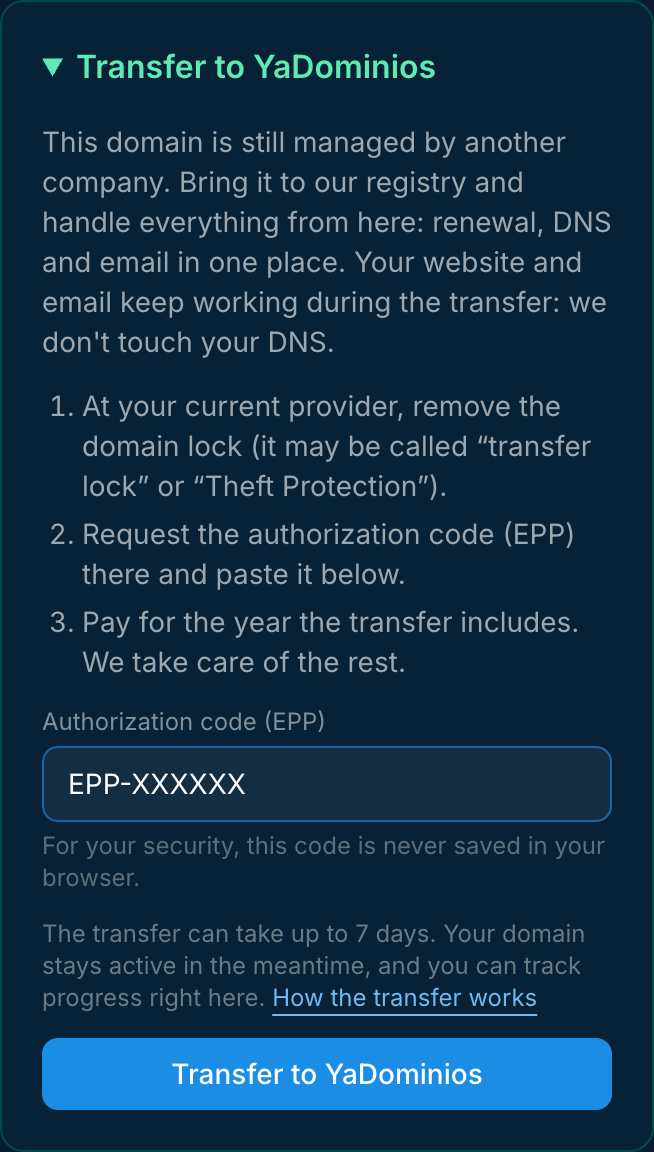
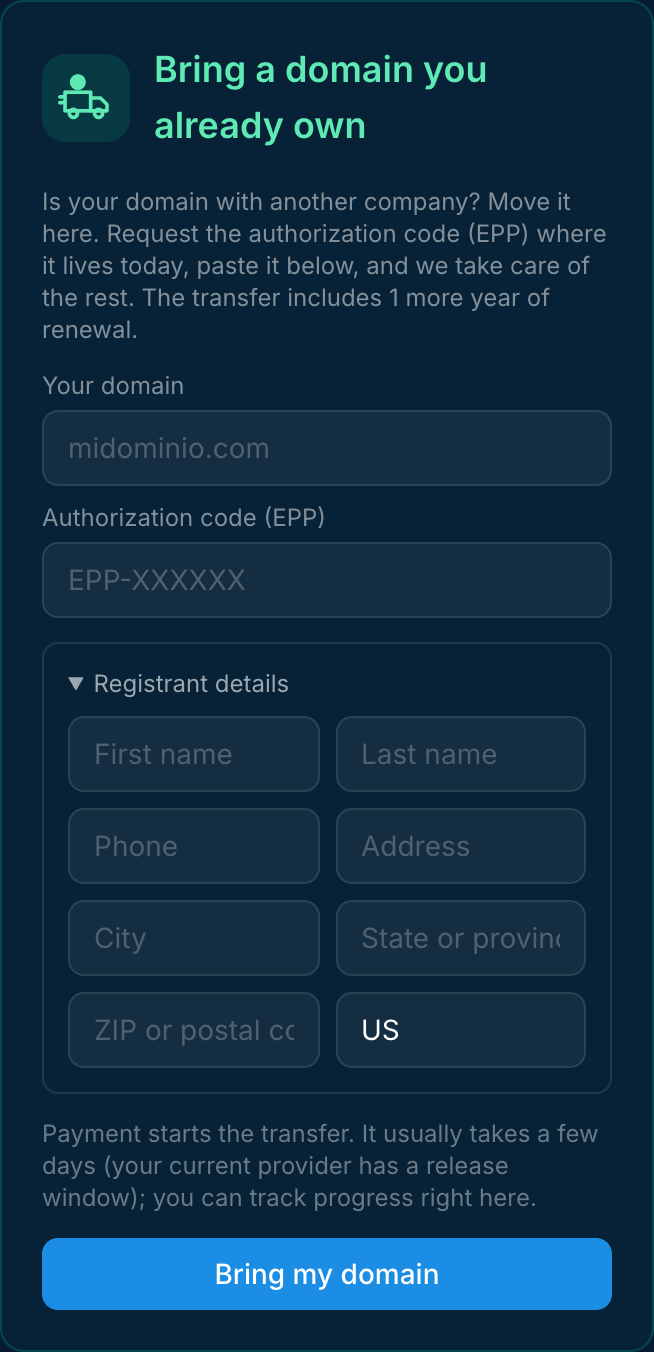
To transfer your domain to YaDominios: remove the lock at your current registrar, request the authorization code (EPP) there, paste it in your dashboard and pay for the year the transfer includes. It takes up to 7 days. Your website and email keep working the whole time: we don't touch your DNS.
Two ways in, the same transfer
- Your domain already shows in “My domains” but another company manages it: open its page and use the “Transfer to YaDominios” card.
- Your domain isn't in your account yet: in “My domains”, open “Bring a domain you already own” and enter the domain and the registrant details.
What the authorization code is
It's the domain's password for approving a transfer, also called an EPP code or auth code. Your current registrar issues it, and only the registrant can request it. For your security, your browser never saves it, even if you close the form.
Step by step
- Remove the lock at your current registrar. It may be called “transfer lock” or “Theft Protection”. If it's still on, we tell you before charging anything.
- Request the authorization code in that same dashboard. Sometimes it's emailed to the registrant.
- Paste it in your YaDominios dashboard and pay for the year the transfer includes. That year is added to your expiration date, so you don't lose time you already paid for.
- Sit back: the previous registrar has up to 5 days to release the domain, and the whole transfer can take up to 7 days. You can track progress on the domain's page.
- We let you know when it's done: you get a confirmation email with your domain's new expiration date.
Your site stays up
A transfer changes who manages the domain's registration, not where your website or email live. We keep your nameservers and records exactly as they are: no new zone, no record changes. If you want to move your DNS later, you do it when you decide.
When a domain can't be transferred
- If it was registered, transferred or changed owner less than 60 days ago (ICANN rule).
- If the lock is still on or the code isn't valid: we tell you clearly and never charge you blindly.
Frequently asked questions
How long does the transfer take?
Up to 7 days. Most .com transfers finish sooner. Your domain stays active in the meantime, and you can track progress in your dashboard. When it's done, you get an email with the new expiration date.
Will my website go down during the transfer?
No. We keep your nameservers and records exactly as they are; the transfer doesn't touch your DNS.
Do I lose the time I already paid for?
No. The transfer year is added to your current expiration date.
What if my domain is locked?
We let you know before charging: remove the lock at your current registrar and try again.